Garry's Mod tips
Moderator: Forum Moderators

Garry's Mod tips
I've had a play around with this tonight and it's reminded me of how difficult I found it to position things and get anything working. So, anyone got any tips on how to do stuff for (pretty much) complete n00bs like myself? Also useful would be an all in one guide to how to frap out a video once our bungling contraptions are done.


-
ProfHawking
- Zombie

- Posts: 2101
- Joined: February 20th, 2005, 21:31

you'll have to be a little more specific, personally i find creation on gmod pretty easy.
Basically, easy weld is the most important tool. If you can easy weld something, do! and then subsidise with normal welds after if need be.
If you can't easy weld it in place, it's often worth easy welding it then undoing the weld in order to help you position it a little easier.
It's also important to remember to weld everything to everything else, or at least to weld things to the main structural parts of a contraption. Poor welding is the cause of things spacking out
Basically, easy weld is the most important tool. If you can easy weld something, do! and then subsidise with normal welds after if need be.
If you can't easy weld it in place, it's often worth easy welding it then undoing the weld in order to help you position it a little easier.
It's also important to remember to weld everything to everything else, or at least to weld things to the main structural parts of a contraption. Poor welding is the cause of things spacking out

Likewise, if anyone wants to know how to make stupidly large vehicles, I can help! For any real advice tho, I wouldn't bother asking me.
I need to find a bigger map to play on, because I felt distinctly hemmed in on the usual one. I need a very very large flat open space, with no massive lakes of death.
I need to find a bigger map to play on, because I felt distinctly hemmed in on the usual one. I need a very very large flat open space, with no massive lakes of death.
-
Dr. kitteny berk
- Morbo

- Posts: 19676
- Joined: December 10th, 2004, 21:53
- Contact:
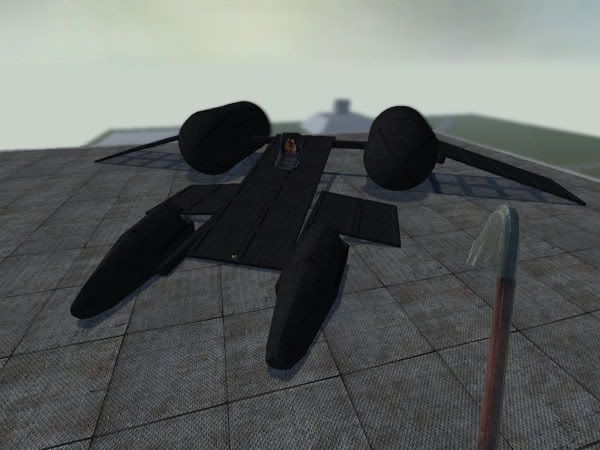
-
ProfHawking
- Zombie
- Posts: 2101
- Joined: February 20th, 2005, 21:31
-
Dr. kitteny berk
- Morbo
- Posts: 19676
- Joined: December 10th, 2004, 21:53
- Contact:
http://halflife2.filefront.com/file/Hal ... 0#DownloadSandwich wrote:I think it's called freespace or something, lots of fun
-
Dr. kitteny berk
- Morbo
- Posts: 19676
- Joined: December 10th, 2004, 21:53
- Contact:
one thing i'd suggest would be binding a key to noclip, that way you can fly around easier without having your text go to shit 
Code: Select all
bind k noclip

-
FatherJack
- Site Owner

- Posts: 9597
- Joined: May 16th, 2005, 15:31
- Location: Coventry, UK
- Contact:

The mouse wheel for the Z axis, if that's the right axis, in and out.FatherJack wrote:This seems to work in two dimensions for me, to do the other I need to drop or freeze the object, then walk around and face the side.
I made a low-rider mobile cannon last night which did the hydraulic bouncing up and down due to the shear weight of the concrete pipes on the APC tyres, all my homes were like "You got the dubs esse!"
spoodie wrote: The mouse wheel for the Z axis, if that's the right axis, in and out.
I made a low-rider mobile cannon last night which did the hydraulic bouncing up and down due to the shear weight of the concrete pipes on the APC tyres, all my homes were like "You got the dubs esse!"
Arf. Cheers chaps, this is a good start. I suppose I might have read up about it but seeing as I knew I'd be spending all last night repairing my PC after fitting a Harrier engine into it I figured it was worth asking instead.
-
Hunterkiller
- Ferret

- Posts: 89
- Joined: September 14th, 2006, 14:49
- Location: UK
- Contact:
yeah, it took me ages to work out how to rotate, i used to bang shit against walls untill it was the right angle, lol!
Just use "e" to position, use "easy weld" to stick shit together, works well with "no collide" (so they dont crash together and "blackhole") just mess around for a bit with this stuff untill you get a feel for it and then try harder stuff.
Just use "e" to position, use "easy weld" to stick shit together, works well with "no collide" (so they dont crash together and "blackhole") just mess around for a bit with this stuff untill you get a feel for it and then try harder stuff.
-
FatherJack
- Site Owner
- Posts: 9597
- Joined: May 16th, 2005, 15:31
- Location: Coventry, UK
- Contact:
That moves it towards and away from you - there's still another axis of rotation you need to move 90° and grab the object again to do.spoodie wrote:The mouse wheel for the Z axis, if that's the right axis, in and out.
Imagine you have grabbed an aeroplane, and are holding it by the tail looking along it's length towards the nose.
Left and Right moves the aircraft through space to the left or right without turning it. Sidestepping left and right does the same, but you move as well. This is movement along the Y axis, not a movement a plane does naturally, unless there's very strong wind, but it helps me to visualise it as a plane.
Up and down similarly moves the aircraft along the Z axis without turning - with no clip off you can fly up and down and do the same thing as sidestepping.
Moving the aircraft without turning along the X axis (towards and away) is achieved by either the mouse wheel or holding USE and the forwards/back keys. Moving forwards/back without holding USE of course moves you too.
Holding USE and moving left and right rotates the aircraft about the Z axis - it doesn't move anywhere, but turns as if using the rudder. This is called Yaw in plane terms and causes the aircraft to spin in place.
Holding USE and moving up and down rotates about the Y axis, as if the plane were diving or climbing, this is called Pitch and would cause the aircraft to do in-place loop-the-loops.
What you don't seem to able to do from this position is rotate about the X axis, as if using the ailerons on the wings to do a banked turn. This would be called Roll and would perform a barrel roll.
To do this, you need to grab the aircraft at one of the wing-tips - then what was the X axis is now the Y axis, so up and down performs the barrel roll.