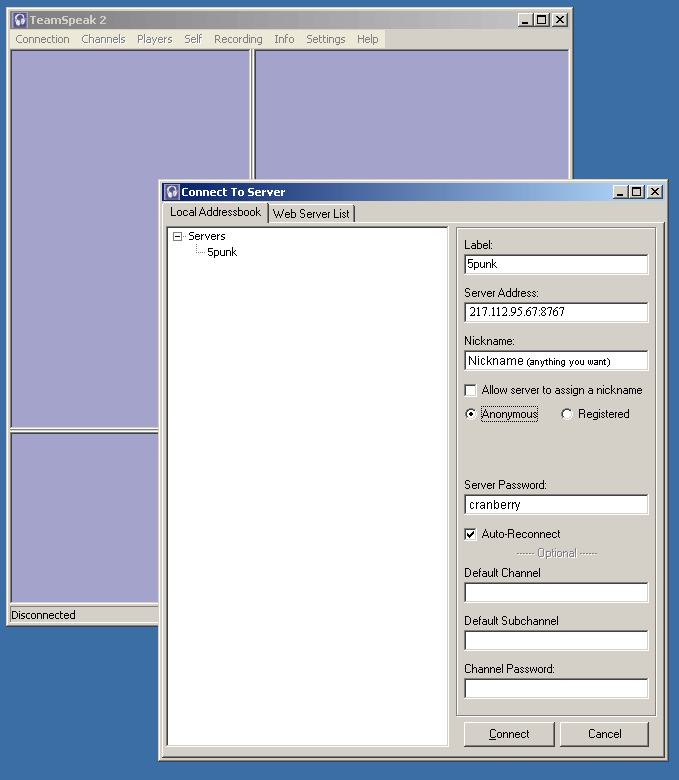
The following is a guide to connecting to the TeamSpeak server hosted by Dr. Kitteny Berk, and if you are feeling generous, you can help cover the costs of this by visiting the Donate page on the header.
How To Connect


You can also connect by clicking on the channel of your choice on the TeamSpeak portal located at the right hand side of the main site, and then entering a username of your choice.
Alternatively, if you have Xfire running, and you notice a friend is in TeamSpeak, you can right click their name in Xfire, and select "Join TeamSpeak".
_______________________________________________
Setting Up A Mute Microphone Key
This is one of the main things most newcomers forget to do, and results in all of us being able to hear whatever goes on whilst you walk away from your mic, and you are still loged into TeamSpeak.
Also, handy if the phone rings, your parents shout at you, or your partner starts moaning about how long you spend on the P.C, or for soem of our members in the RAF, a massive carrier plane decides to take off over your head, and deafen everyone on TeamSpeak

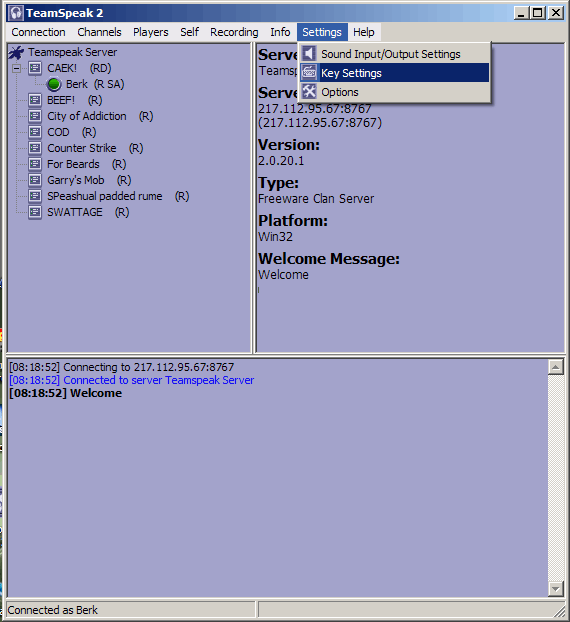
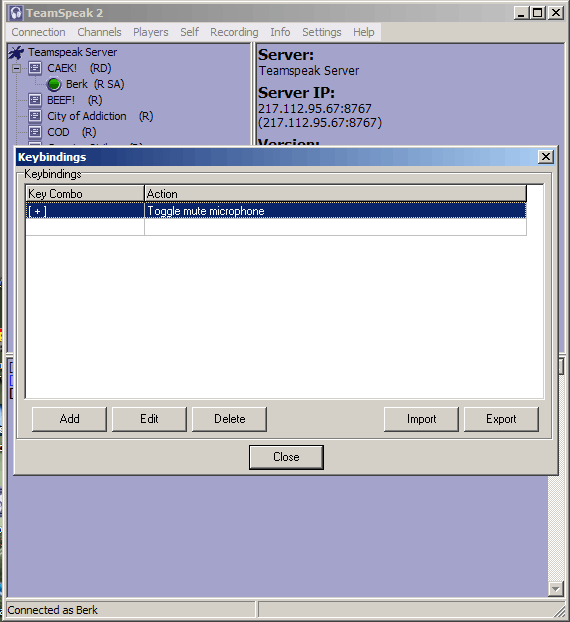
Now that you have done this, pressing the [ + ] keys (or whatever you set as the mute button) will now mute your microphone, and to activate the microphone just press it again.
If you have any issues connecting to TeamSpeak, then please reply here, or send any of the admins/moderators a message in Xfire, and they will try to help you out.