
My motherboard is an ASUS A8N-E, and the manual has this helpful offering by way of guidance:
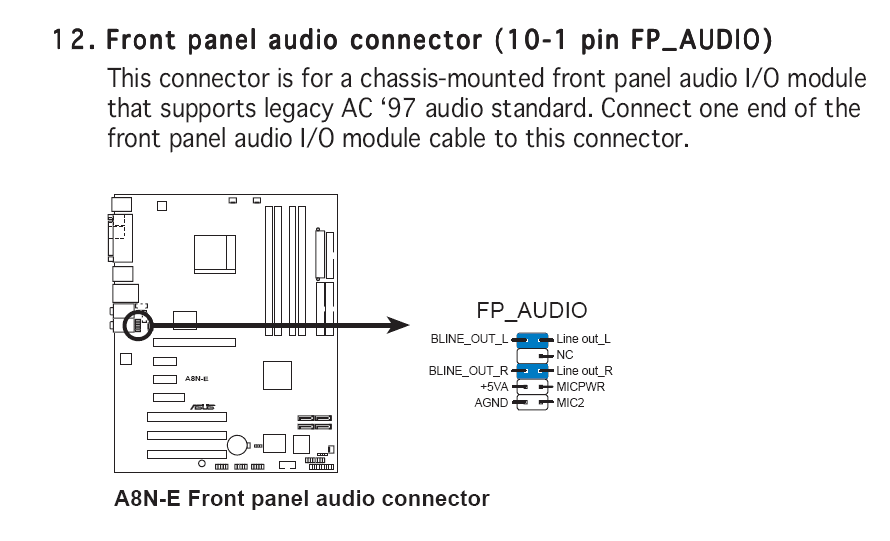
Now I removed the jumpers (as shown in blue) between Bline out L & Line out L, and Bline out R & Line out R so I could connect wires (Which I connected to the Line out connectors, not the "B" ones), but once I did, I only got sound out of the front port, not the speakers which I have plugged into the rear. I was wondering if theres any way of having both ports working simulateously so I can plug headphones in the front but leave speakers in the rear?
Also, the Mic wires are labeled differently to those shown in the manual, and are called: Mic In, Mic BIAS, GND and Return R. Which of the connectors should they be attached to in order to work properly?
Ta muchly.


